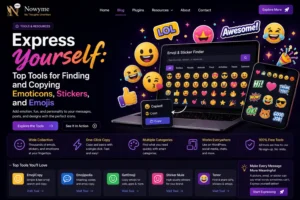
Discover creative ways to add personality, emotion, and a little extra fun to your digital conversations.
Sometimes, words alone just aren’t enough.
A simple smile 😊, a cheerful celebration 🎉, a heartfelt message ❤️, or even a playful text face like (づ。◕‿‿◕。)づ can add a whole new layer of meaning to an ordinary conversation.
Whether you’re sending a quick message, writing a social media post, responding to a friend, or creating content for your website, emojis, emoticons, and stickers can help communicate feelings in colourful and creative ways.
But finding the perfect expression isn’t always as simple as it sounds.
With so many emojis, symbols, animated stickers, and unique character combinations available, searching for the right one can sometimes take longer than writing the message itself!
That’s why I decided to put together this collection of useful websites and digital tools for discovering, browsing, copying, and downloading expressive content.
Some resources make it easy to find familiar emojis, while others offer custom designs, animated graphics, creative symbols, and tools for website developers.
In this article, I’ll explore what makes each resource interesting, highlight useful features, and share important considerations before using them.
Whether you’re looking for the perfect reaction, a quirky emoticon, or something completely unexpected, there’s plenty here to discover.
So go ahead, explore the possibilities, and let your personality shine—one emoji, emoticon, or sticker at a time!
1. Emojipedia
Category: Emoji Discovery, Meanings & Reference
Emojipedia is an online resource for discovering emojis, understanding their meanings, exploring emoji history, and comparing how the same emoji appears across different platforms.
Whether you’re looking for a familiar smiley face, an unusual symbol, or the meaning behind a recently introduced emoji, Emojipedia provides information to help you choose expressions that communicate your intended message.
The website also provides information about Unicode emoji updates and differences between emoji designs used by major technology platforms.
Key Features
- Search for emojis using names or keywords.
- Copy and paste Unicode emoji characters.
- Explore emoji meanings and descriptions.
- Compare emoji appearances across different platforms.
- Discover newly approved and upcoming emojis.
- Explore emoji categories and related symbols.
- Learn about emoji history and Unicode standards.
- Browse emoji combinations and creative tools.
Best For: Social media users, bloggers, content creators, writers, educators, and anyone interested in understanding or discovering emojis.
My Research Note: Emojipedia is particularly useful when you want to understand what an emoji means before using it.
Although emojis are commonly used across different devices, their visual designs can vary between platforms. An expression that looks playful on one device may appear slightly different on another.
I would recommend Emojipedia for checking meanings, comparing designs, and discovering new emojis before including them in articles, messages, or social media posts.
Resource URL: https://emojipedia.org/ [1]
2. GetEmoji
Category: Emoji Copying & Quick Access
GetEmoji is a simple online resource designed to help users find and copy emoji characters for use in messages, social media posts, documents, and other digital content.
Rather than navigating complicated menus or installing additional software, visitors can browse available emojis and copy the characters they want to use.
Its straightforward approach makes it a convenient resource for people who simply want quick access to emojis without learning additional tools.
Key Features
- Browse collections of Unicode emojis.
- Copy emoji characters for use in other applications.
- Find common expressions, objects, symbols, and other emoji categories.
- Use emojis in social media posts, messages, and documents.
- Access emoji characters through a web browser.
- Explore familiar emojis without installing a dedicated emoji application.
Best For: People who want a quick and convenient way to find and copy emojis for everyday communication.
My Research Note: GetEmoji is worth including because it focuses on a simple task: finding an emoji and copying it.
This makes it a useful alternative when you do not need extensive explanations, emoji history, or developer tools.
However, some newer emojis may not display correctly on older operating systems or applications. I would recommend testing unfamiliar characters before using them in important content.
Resource URL: https://getemoji.com/ [2]
3. Emoji.gg
Category: Custom Emojis, Stickers & Creative Graphics
Emoji.gg is an online platform that helps users discover, download, and share custom emojis created by different artists and community members.
Unlike standard Unicode emoji collections, Emoji.gg focuses heavily on customized graphics for communication platforms such as Discord and Slack.
Its collection includes humorous reactions, animated graphics, expressive characters, themed emoji packs, and many other creative designs.
The website also provides tools for creating and customizing emojis, making it useful for online communities that want their own visual personality.
Key Features
- Browse a large collection of custom emojis.
- Search for graphics by name or category.
- Download static and animated emojis.
- Explore themed emoji collections.
- Find stickers and related creative resources.
- Use an emoji maker to create customized designs.
- Explore tools for animation and emoji combinations.
- Discover graphics suitable for Discord and Slack communities.
- View creator information and available licensing details.
Best For: Discord communities, Slack users, online gaming communities, content creators, and anyone looking for custom visual reactions.
My Research Note: Emoji.gg is an interesting resource for finding expressions that go beyond the emojis built into most phones and computers.
However, custom emojis and stickers are images rather than ordinary Unicode characters. They may need to be downloaded and uploaded to a supported platform.
Another important consideration is copyright. Many graphics are submitted by individual creators, and the permissions for using them can differ.
I would always review the licence attached to a particular emoji before using it in commercial designs, website branding, advertisements, or downloadable products.
Resource URL: https://emoji.gg/ [3]
4. Twemoji
Category: Open-Source Emoji Graphics & Web Development
Twemoji is an open-source emoji project originally developed by Twitter to provide a consistent visual style for Unicode emojis.
Unlike ordinary copy-and-paste emoji websites, Twemoji is primarily a graphics library intended for developers and designers who want to display recognizable emoji artwork in websites and applications.
The project provides emoji image assets and JavaScript functionality that can help render supported Unicode emojis using a consistent appearance.
This can be useful when website owners want greater control over how emoji graphics appear across supported environments.
Key Features
- Access an open-source collection of emoji graphics.
- Display supported Unicode emojis using a consistent visual style.
- Use emoji image assets in supported web projects.
- Integrate emoji rendering through JavaScript.
- Access available graphics and project files through GitHub.
- Download supported assets for self-hosting.
- Review documentation and licensing requirements.
- Explore developer examples and community contributions.
Best For: Website developers, application designers, software projects, and technically experienced users who want a consistent emoji presentation.
My Research Note: Twemoji stands apart from the other resources in this collection because it is primarily a development library rather than a simple emoji search website.
Its graphics can be useful for consistent visual presentation, but implementation may require technical knowledge.
Another important point is that the original Twemoji repository documents support for Emoji 14.0, so developers should check whether it includes the newer characters they require.
The original project’s source code is licensed under the MIT License, while the graphics use Creative Commons Attribution 4.0 (CC BY 4.0). Appropriate attribution is therefore important when using its artwork.
I would also check the latest release information and hosting recommendations before implementing the library in a new project.
Resource URL: https://github.com/twitter/twemoji [4]
Final Thoughts: Let Your Expressions Speak!
Sometimes, the smallest details make the biggest difference in digital communication.
A cheerful emoji can make a message feel warmer. A playful emoticon can add personality to a conversation. A custom sticker can turn a simple reaction into something memorable.
The resources in this collection offer different ways to explore these possibilities, from quickly copying familiar emojis to discovering unique graphics and experimenting with open-source emoji artwork.
But the best expression is not always the most colourful or unusual one. It is the one that communicates your message clearly and feels appropriate for the moment.
As I continue discovering new creative tools, I hope this collection provides a useful starting point for anyone looking to make online communication more expressive, engaging, and enjoyable.
Remember to respect copyright, consider accessibility, and choose expressions that complement your words rather than replace their meaning.
After all, communication isn’t just about what we say—it’s also about how we express it.
Keep exploring, keep creating, and let your personality shine! 😊
Footnotes & References
-
Footnotes and Important Considerations
[1] Understanding Emojis, Emoticons, and Stickers
Although these terms are often used interchangeably, they refer to different forms of digital expression.
An emoji is a standardized character or sequence of characters, such as 😊 or ❤️. An emoticon is generally created using text characters, such as 🙂 or (╯°□°)╯︵ ┻━┻. Stickers are usually larger graphical images or animations used in messaging platforms.
[2] Unicode and Platform Compatibility
Unicode provides the standardized character representation used by emojis across different systems. However, the visual appearance of an emoji depends on the device, application, and emoji font or graphics used.
Newer characters may not display correctly on older devices or unsupported applications.
[3] Copyright and Emoji Artwork
Standard Unicode characters and custom emoji artwork should not be treated as legally identical.
Specific emoji illustrations, animations, and sticker designs may be protected by copyright. Downloading an image does not automatically grant permission to reproduce, modify, redistribute, or commercially exploit it.
[4] Custom Emoji Licensing
Platforms that host user-submitted emojis may offer different licensing conditions for individual graphics. Some licences permit personal or community use but restrict commercial use, redistribution, or modification.
Always check the applicable licence before using custom artwork outside its intended platform.
[5] Attribution for Open-Source Graphics
Open-source does not necessarily mean that a resource has no conditions.
For example, the original Twemoji project uses the MIT License for code and Creative Commons Attribution 4.0 for graphics. Users should review both licences and provide the required attribution when applicable.
[6] Accessibility and Clear Communication
Emojis can add emotional context, but excessive or repeated emoji characters may make text difficult to understand, particularly when using assistive technologies.
Use emojis selectively, avoid replacing important words or instructions with symbols alone, and ensure that messages remain understandable without relying exclusively on visual expressions.
[7] Cultural Differences and Interpretation
Emojis and gestures may carry different meanings depending on cultural background, personal experience, and communication context.
An emoji intended as humour or encouragement may be interpreted differently by another person. Consider the audience and setting before using unfamiliar expressions.
[8] Resource Availability and Updates
External websites, downloadable graphics, software libraries, features, and licensing requirements may change over time.
This article is part of my personal research collection and does not necessarily indicate that I have personally tested or endorsed every resource. Visitors should review the relevant website for current information. [↩ [5]]