



















Enjoy Distraction-Free Reading
Focus on the story without sidebars, navigation, or unnecessary distractions. Enjoy a clean, comfortable reading experience.
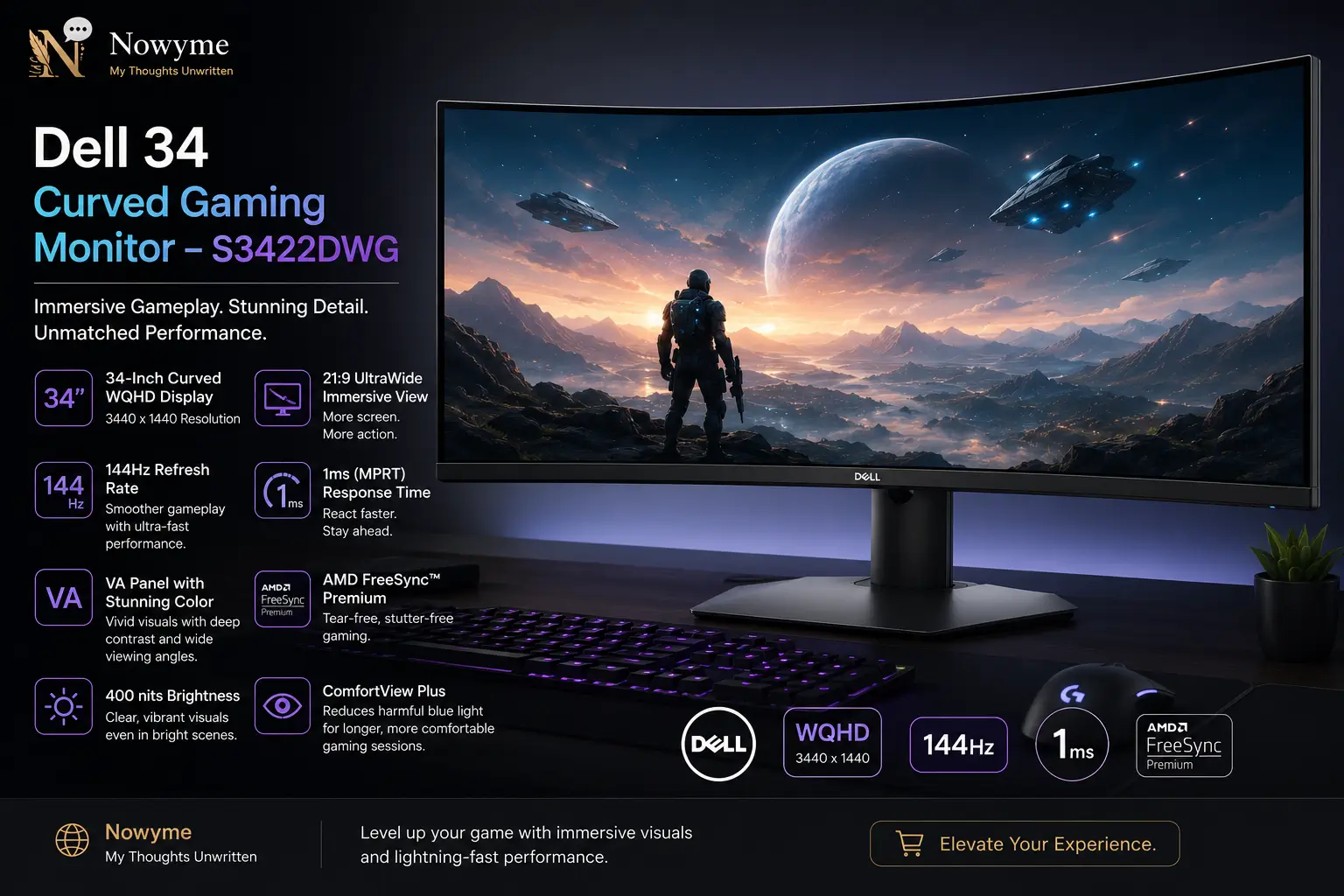
An immersive ultrawide monitor for gaming, entertainment, and everyday productivity.
When I decided to upgrade my monitor, I didn’t want to rush into buying just any display.
I spent considerable time researching different models, comparing specifications, reading reviews, and looking for something that offered good value without exceeding my budget.
My goal was straightforward: I wanted a monitor that would feel comfortable during long sessions while making gaming, movies, and everyday work more enjoyable.
After exploring several options, I eventually settled on the Dell 34 Curved Gaming Monitor – S3422DWG.
The promotional price initially caught my attention, but its ultrawide display, gaming features, and productivity potential ultimately convinced me to buy it.
Now, after several months of ownership, I’m very pleased with my decision. And I can say that it has exceeded my expectations.
Here’s what my experience has been like.
First Impressions: A Display That Makes an Impression
The first thing I noticed after setting up the Dell S3422DWG was its size.
Moving to a 34-inch ultrawide screen felt like a significant upgrade.
The monitor has a 1800R curved display 1 , which gives the screen a gently wrapped appearance. For me, this makes the viewing experience feel more immersive, especially when I’m sitting directly in front of it.
The 21:9 aspect ratio also provides considerably more horizontal space than a traditional 16:9 monitor.
What impressed me most was how naturally the screen fitted into my everyday activities.
I could use it for work during the day, connect my PlayStation 5 for gaming, and enjoy movies or other entertainment without feeling the need to switch displays.
It quickly became much more than just a gaming monitor.
Display Quality: Sharp, Wide, and Enjoyable
One of the main reasons I chose the Dell S3422DWG was its 3440 × 1440 WQHD resolution.
The combination of resolution and screen size gives images a pleasing level of sharpness and detail.
Text remains clear during everyday work, while games and videos benefit from the large viewing area.
The monitor uses a VA panel, which offers strong native contrast compared with many conventional IPS displays.
In my experience, darker scenes have satisfying depth, and colours appear vibrant.
This makes the monitor enjoyable for entertainment, especially when watching movies in darker environments or with detailed visuals.
The monitor also supports VESA DisplayHDR 400. 2
Although HDR support is a welcome feature, it is important to keep expectations realistic. This is not the same HDR experience offered by more expensive monitors with advanced local dimming or OLED 3 panels.
For me, the overall SDR 4 picture quality, contrast, and screen size are more important than its HDR capabilities.
Gaming Experience: Smooth and Responsive
Gaming was another major consideration when I purchased this monitor.
The Dell S3422DWG supports refresh rates of up to 144Hz through DisplayPort and up to 100Hz through HDMI. 5
It also includes AMD FreeSync Premium Pro technology, which can help reduce tearing and stuttering when used with compatible hardware.
For PC gaming, these features make the monitor an attractive option for players who want an immersive ultrawide experience.
Productivity: Where the Ultrawide Screen Really Shines
Beyond gaming, the additional screen space has become one of my favourite features.
I regularly work with multiple windows and applications, and the 21:9 display provides enough room to keep information visible side by side.
For example, I can have a browser open on one side of the screen while working on a document or researching information on the other.
This makes multitasking more convenient and reduces the need to switch constantly between windows.
For writing, research, spreadsheets, and general computer work, I find the additional horizontal space especially useful.
The curved design has also been comfortable for my typical viewing position.
After using the monitor for several months, productivity has become just as important to me as its gaming capabilities.
Movies and Entertainment: A More Immersive Experience
Watching movies is another activity where I appreciate the Dell S3422DWG.
The wide display works particularly well with movies presented in cinematic aspect ratios close to 21:9.
When the source content matches the screen’s proportions, the viewing experience feels expansive and engaging.
For my personal use, the large screen, vibrant colours, and strong contrast make the Dell S3422DWG an enjoyable entertainment display.
Connectivity and Ports
One of the strengths of the Dell S3422DWG 6 is its variety of connectivity options. This makes it easier to connect gaming consoles, computers, headphones, USB devices, and other peripherals. 7
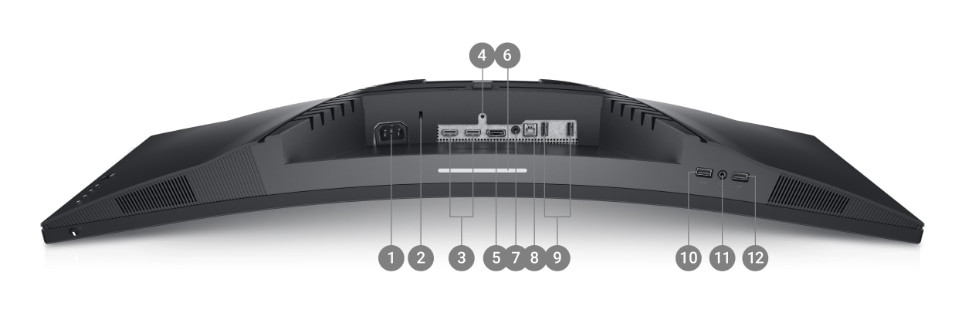
Ports and features include:
- Power connector
- Security lock slot
- 2 × HDMI 2.0 ports
- Stand lock feature
- DisplayPort 1.4
- Downlight
- Audio output
- SuperSpeed USB 3.2 Gen 1 upstream port
- SuperSpeed USB 3.2 Gen 1 downstream ports
- USB charging support with BC1.2
- Headphone output
- Additional rear USB 3.2 Gen 1 downstream ports
The variety of ports is especially useful if you use the monitor with more than one device. For example, a gaming console can remain connected through HDMI while a computer uses DisplayPort.8
What’s Included in the Box
The monitor comes with the essential cables needed to get started:
- Power cable
- DisplayPort cable
- HDMI cable
- SuperSpeed USB 3.2 Gen 1 upstream cable
According to Dell’s standard package information, the monitor includes:
- Dell S3422DWG monitor
- Stand riser and base 9
- Power cable
- DisplayPort cable 10
- HDMI cable 11
- USB 3.2 Gen 1 upstream cable 12
- Setup and safety documentation
Included accessories can vary by market or package, so checking the seller’s listing is worthwhile.
One thing worth knowing is that the monitor does not include built-in speakers. However, it provides an audio connection that can be used with headphones, external speakers, or a soundbar.
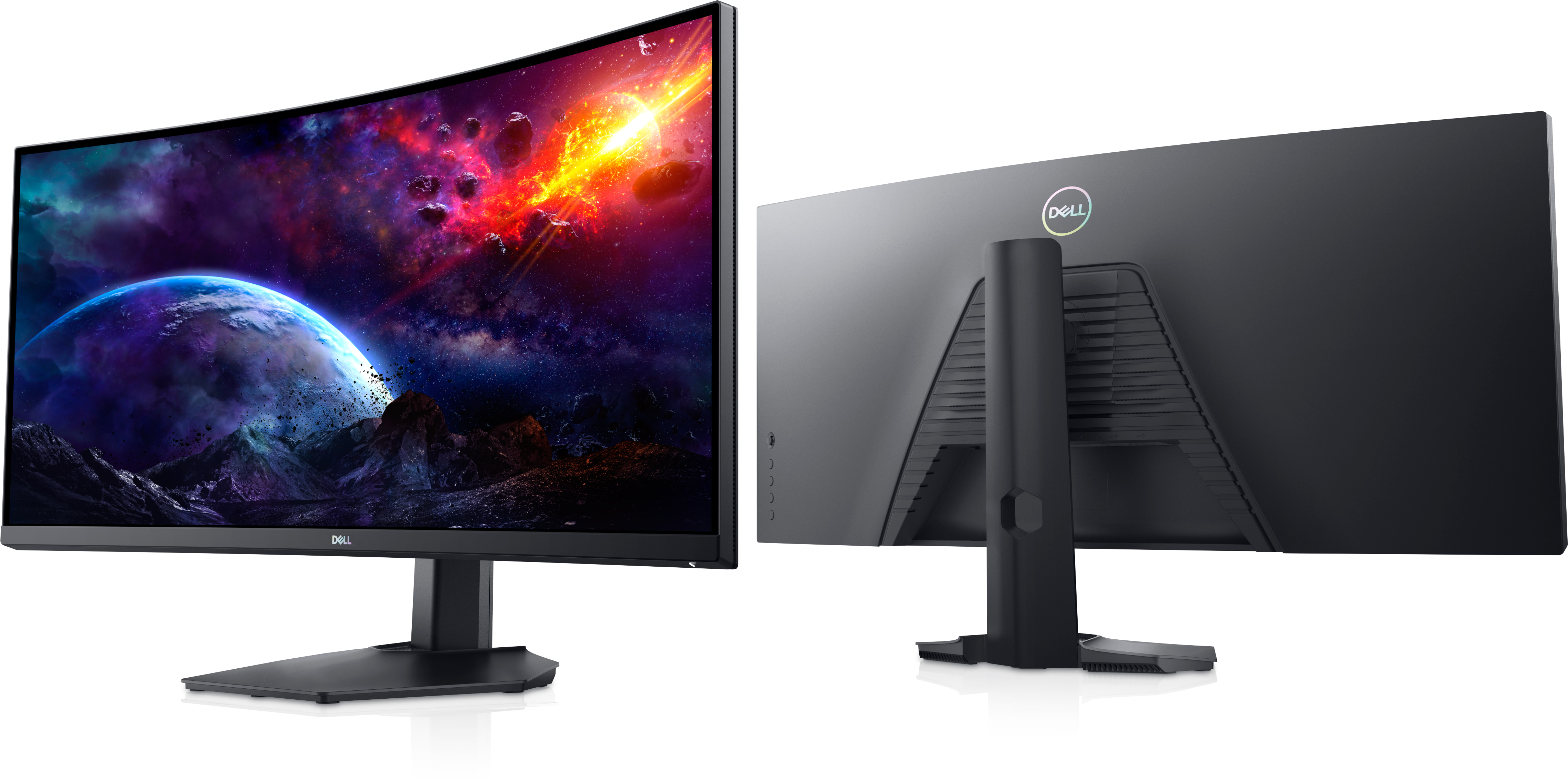
Key Specifications
| Specification | Dell S3422DWG |
| Display size | 34 inches |
| Display type | LED-backlit LCD / TFT active matrix |
| Screen curvature | 1800R |
| Aspect ratio | 21:9 |
| Resolution | 3440 × 1440 WQHD |
| Refresh rate | Up to 144Hz via DisplayPort |
| HDMI refresh rate | Up to 100Hz |
| Response time | 2ms GtG / 1ms MPRT |
| Adaptive sync | AMD FreeSync |
| Viewing angle | 178° horizontal / 178° vertical |
| Screen coating | Anti-glare, 3H hardness |
| USB hub | USB 3.2 Gen 1 |
What I Like Most
- Immersive curved display: The 34-inch ultrawide screen creates a more engaging gaming and movie experience.
- Excellent picture quality: The WQHD resolution delivers sharp images and a high level of detail.
- Large workspace: The 21:9 aspect ratio provides enough room to work with multiple applications side by side.
- Strong contrast: Dark scenes look deep while brighter areas remain clear and vibrant.
- Smooth gaming performance: The high refresh rate makes fast-moving games feel more fluid and responsive.
- Good and flexible connectivity: Multiple HDMI, DisplayPort, USB, headphone, and audio connections provide plenty of flexibility.
- Strong Picture Quality: I appreciate the sharp details, vibrant colours, and deep contrast, particularly during movies and games.
- Value for Money: Because I purchased the monitor at a promotional price, I feel that I received good value for the features and overall experience.
What Could Be Better
- No USB-C connection Cable : you would have to purchase a USB-C to HDMI cable to connects a USB-C source (like a laptop, tablet, or phone) directly to the HDMI display (on the monitor)
- No built-in speakers: This is the main drawback for me.
- Basic HDR performance: DisplayHDR 400 support does not deliver the same level of HDR contrast as more advanced displays.
- Possible dark-scene smearing: As with some VA gaming monitors, fast-moving dark objects may show visible trailing, depending on settings and content.
This may not matter to gamers who already use a headset, speakers, or soundbar, but buyers expecting an all-in-one display should be aware of it.
Who Would I Recommend This Monitor To?
Based on my experience, the Dell S3422DWG is worth considering for:
- PC gamers looking for a large ultrawide gaming display.
- Students and professionals who regularly work with documents, browsers, and several applications.
- Movie enthusiasts who enjoy watching cinematic content on a wide screen.
- Home-office users who want one display for both productivity and entertainment.
However, if you’re buying a monitor primarily for PlayStation 5 gaming, a smart TV may be a more practical and enjoyable option. That was ultimately the choice I made, especially when playing games like Battlefield, where accurately spotting, tracking, and aiming at targets is essential to the gaming experience.
My Final Verdict: Was It Worth Buying?
After several months with the Dell 34 Curved Gaming Monitor – S3422DWG, I remain very satisfied with my purchase.
The combination of a large ultrawide display, sharp WQHD 13
resolution, strong contrast, gaming-oriented performance, and practical connectivity has worked well for me.
What I appreciate most is its versatility.
I originally wanted a monitor that could handle gaming, movies, and everyday work without forcing me to compromise too much in any one area.
The Dell S3422DWG has delivered the kind of experience I was hoping for.
The lack of built-in speakers is something I would change, and its console gaming limitations are worth understanding before buying.
Even with those considerations, I have no regrets about choosing it.
My overall impression
The Dell S3422DWG is a capable and enjoyable ultrawide monitor that combines immersive entertainment with practical everyday productivity.
For my needs, it has proven to be a worthwhile upgrade.
Share Your Experience
Have you used the Dell S3422DWG or another 34-inch curved gaming monitor?
What matters most to you when choosing a monitor—resolution, refresh rate, colour quality, screen size, or connectivity?
Share your experiences and recommendations in the comments.
This is an independent personal review based on several months of ownership. Product specifications are based on Dell’s published technical information. Individual experiences may vary.
Footnotes & References
- An 1800R curved monitor has a screen bent around a radius of 1,800 millimeters [↩]
- VESA DisplayHDR 400 is the entry-level performance tier of the open High Dynamic Range (HDR) standard created by the Video Electronics Standards Association (VESA).[↩]
- OLED – Organic Light-Emitting Diode[↩]
- SDR – Standard Dynamic Range[↩]
- HDMI (High-Definition Multimedia Interface) is a digital standard that sends uncompressed video and multi-channel audio through a single cable, replacing older analog cords like VGA and composite video.[↩]
- Dell Technologies. (n.d.). Dell 34 Curved
Gaming Monitor S3422DWG: Product data sheet. https://www.dell.com/en-ca/shop/dell-34-curved-gaming-monitor-s3422dwg/apd/210-azep/monitors-monitor-accessories[↩] - A peripheral is any extra piece of hardware that you plug or connect to a computer to help you use it, even though the computer can still turn on and run without it.[↩]
- Dell Inc. (n.d.). Dell S3422DWG monitor user’s guide. https://dl.dell.com/manuals/all-products/esuprt_electronics_accessories/esuprt_electronics_accessories_monitor/dell-s3422dwg-monitor_Users-Guide_en-us.pdf[↩]
- A stand riser and base refers to the two parts that hold up an item, like a computer monitor or a TV. [↩]
- A DisplayPort is a specialized digital cable and port that connects a computer to a monitor. It sends high-quality video and audio through a single wire, and it is built mainly for computer gaming, high-resolution screens, and multi-monitor setups.[↩]
- HDMI stands for High-Definition Multimedia Interface. In simple terms, it is a standard cable and port that sends sharp video and clear audio from a device—like a game console, laptop, or streaming box—to a TV or monitor using just one single cord.[↩]
- USB stands for Universal Serial Bus.[↩]
- WQHD stands for Wide Quad High Definition [↩]
Enjoy reading Nowyme?
Choose Nowyme as a preferred source on Google to see more of our content in eligible search experiences.
Enjoyed This Article?
Your appreciation means a lot! Give this article a clap to show your support and encourage more inspiring content on Nowyme.
Print This Article
Prefer reading offline? Print a clean, reader-friendly copy of this article for personal reference.



0 Comments